Run the whole kennel from one calm screen.
Bookings, the run board, check-in, feeding and medication rounds, grooming, invoices and your books. Your staff tick things off on their own phones, and owners send their pet's records before they walk in.
For Windows · monthly or yearly · 30 days free with everything
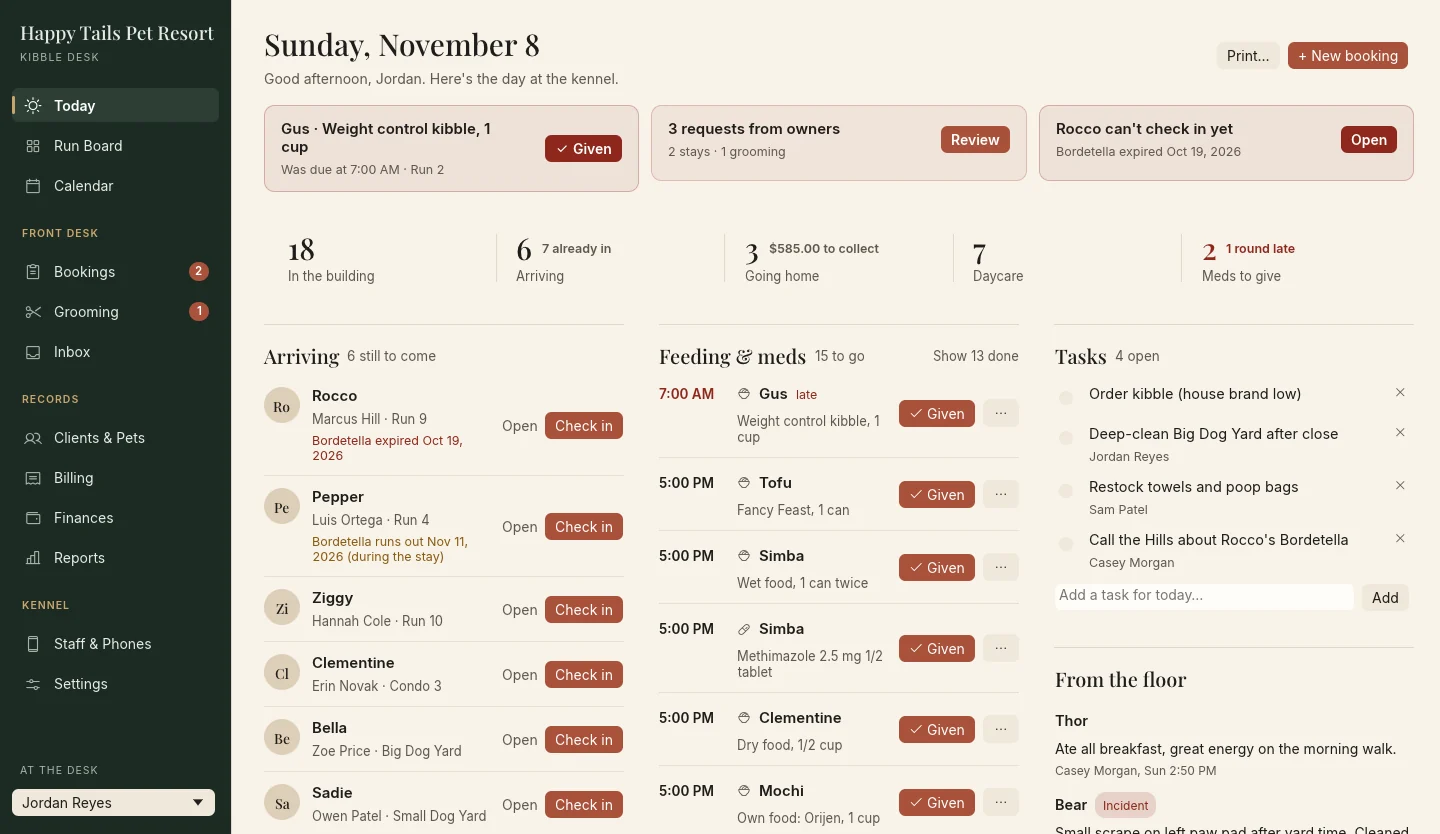
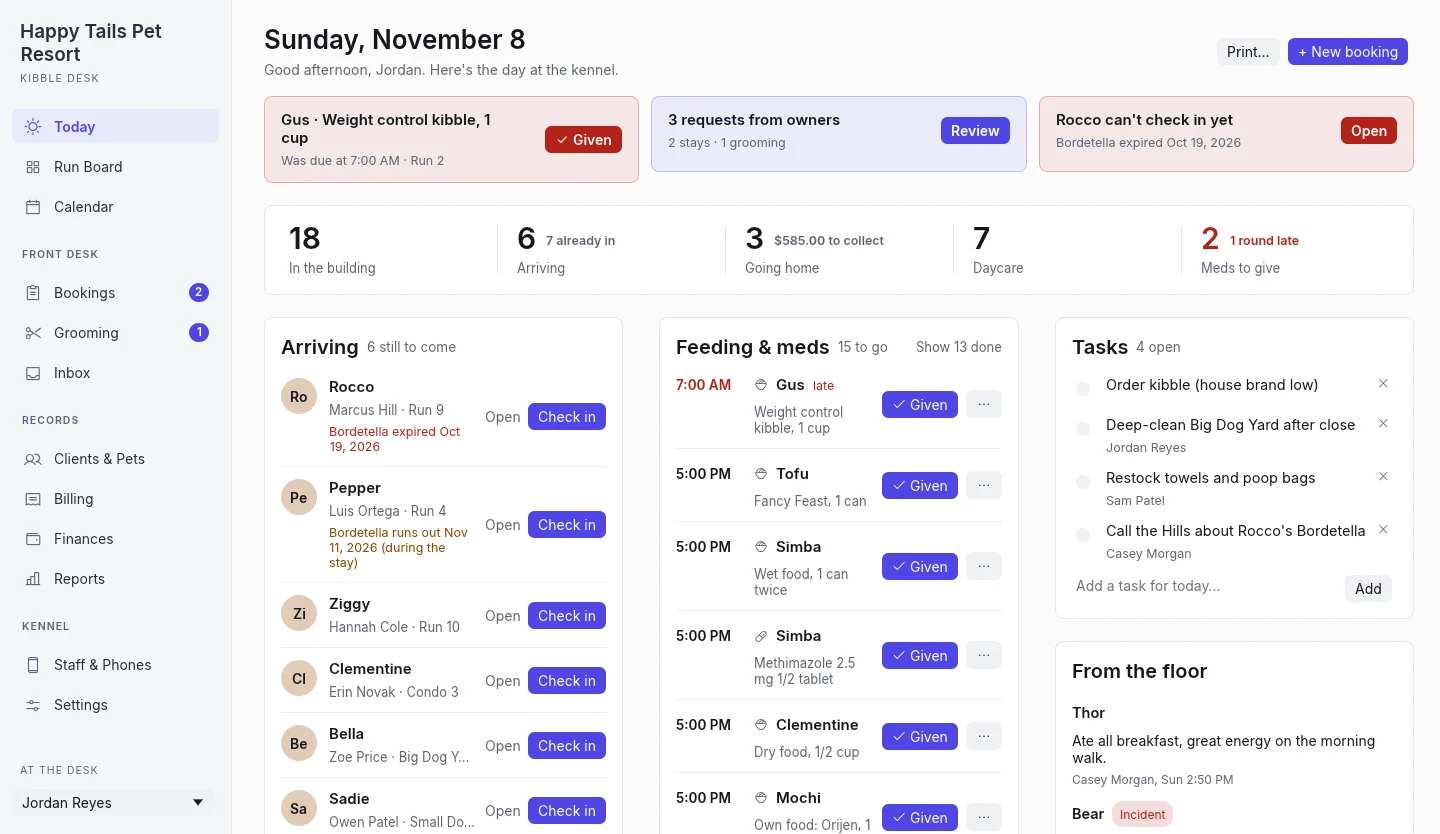
What needs you comes first.
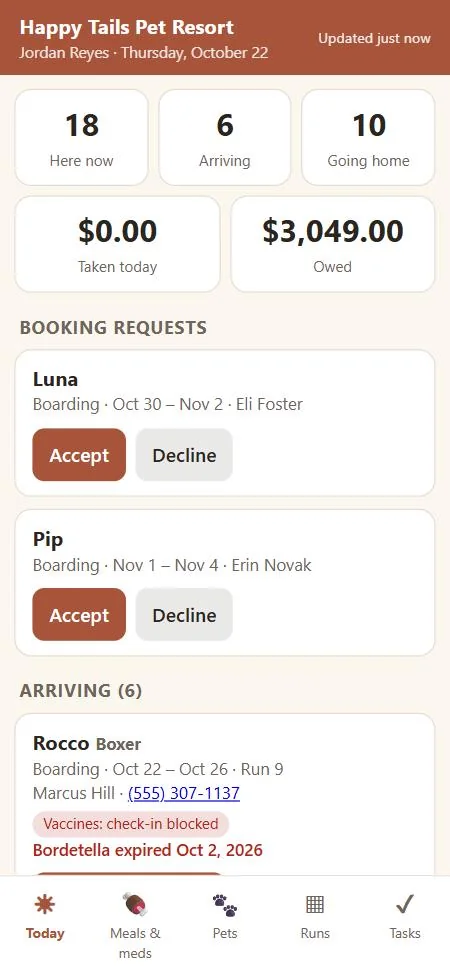
Open Kibble Desk and the day is already sorted for you.
- A late meal or a dose that's due sits at the top, with a Given button right on it.
- Requests from owners and anyone who can't check in yet are next.
- The day in numbers: in the building, arriving, going home with money to collect, daycare and meds to give.
- Arrivals, departures, rounds, grooming and tasks, one button per row.
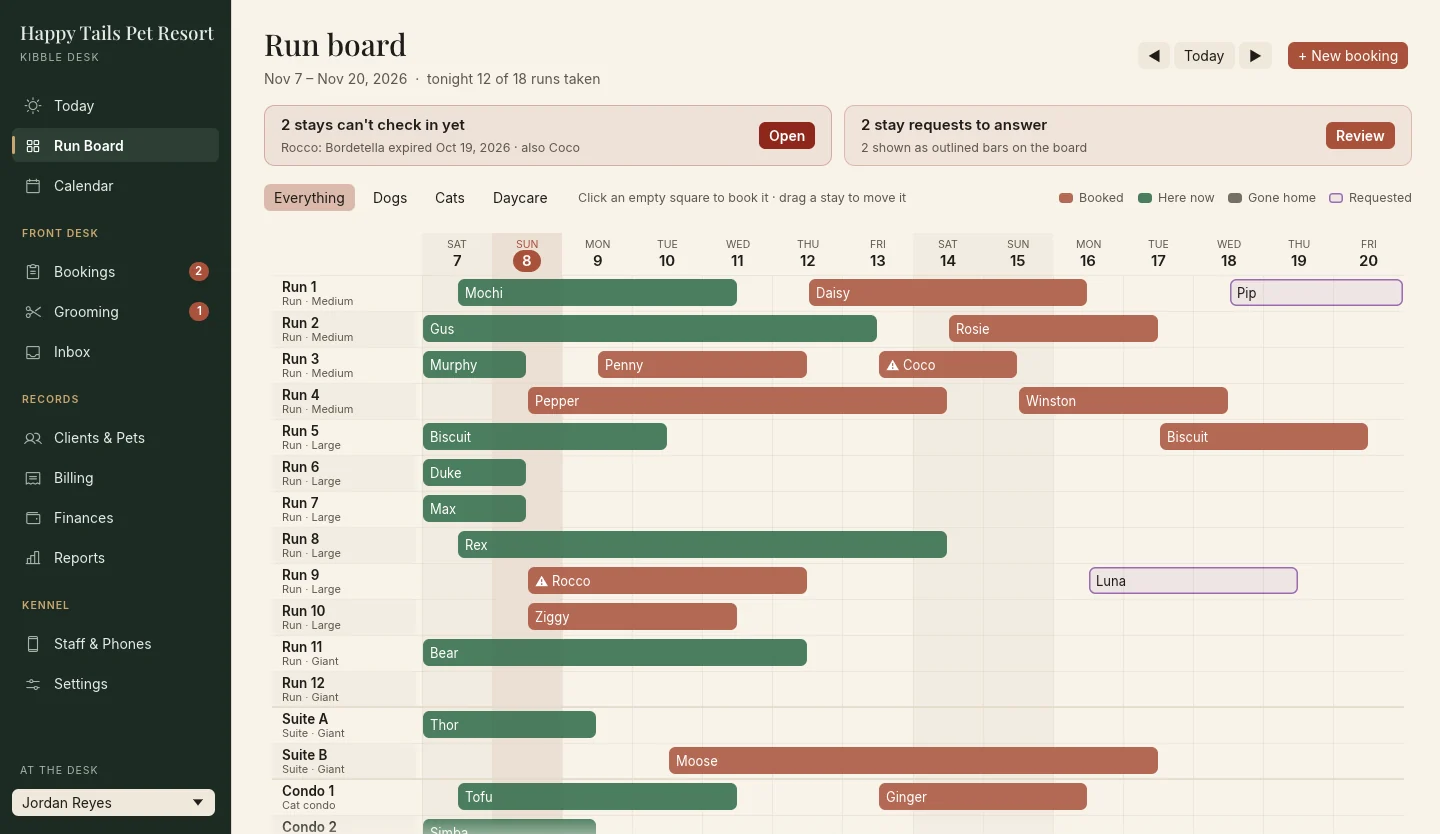
Every run, every night, at a glance.
- Click an empty square to book it. Drag a stay to move it.
- Double-booking can't happen. Runs know their sizes, and cats get condos.
- Check-in stops when a vaccine has run out, so no one slips through on a busy morning. Managers can let a pet in with a reason.
- Requests from owners show as outlined bars, waiting for a yes.
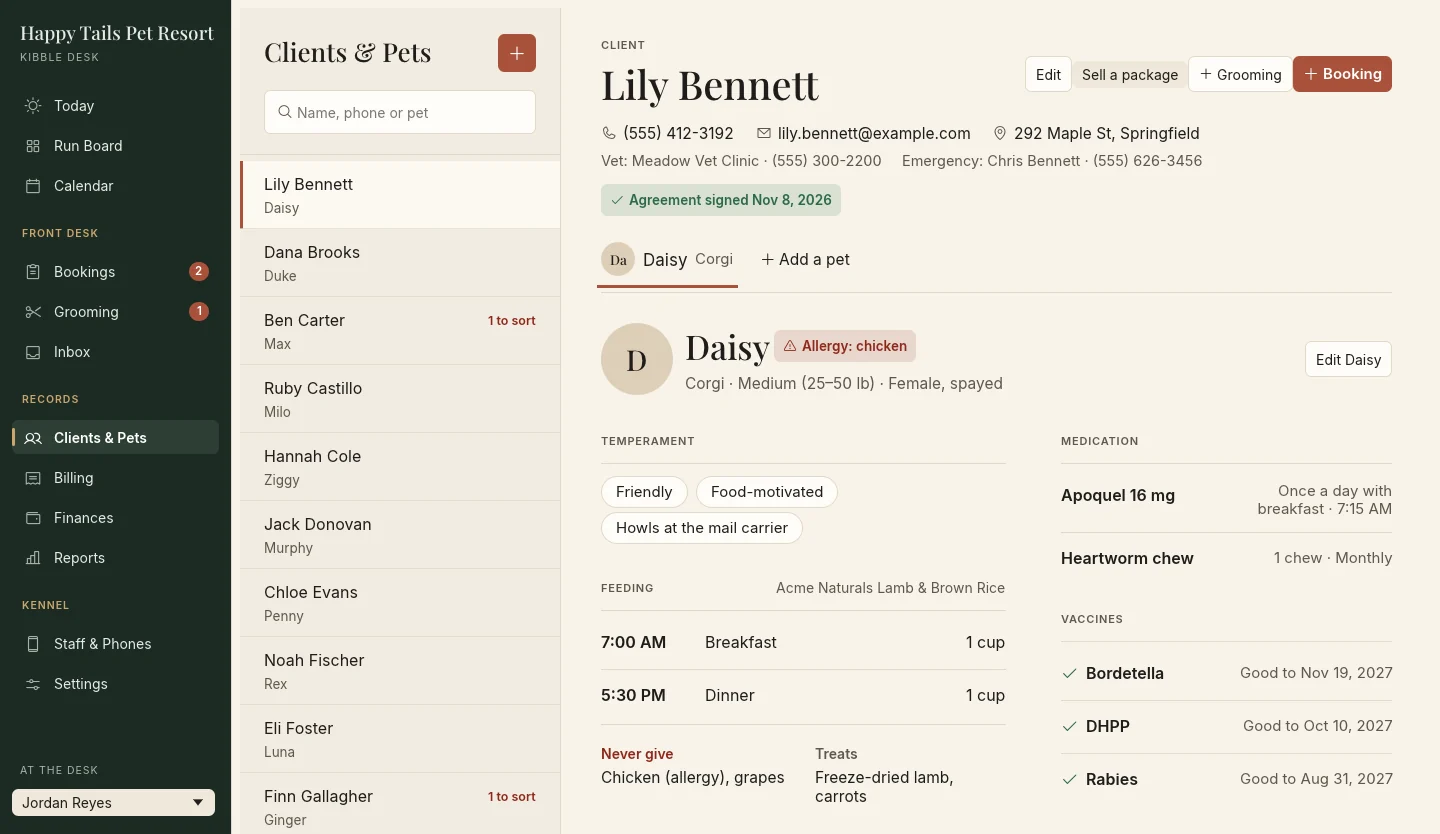
Each pet's care, the way staff need to read it.
- Feeding as a timetable, with what never to give and the treats they love.
- Medication and vaccines side by side, with Add record right on the one that's missing.
- One line says what's missing before the next stay, from an unsigned agreement to a vaccine.
- Agreements signed at the counter with a finger or a mouse, and kept with the exact text that was signed.
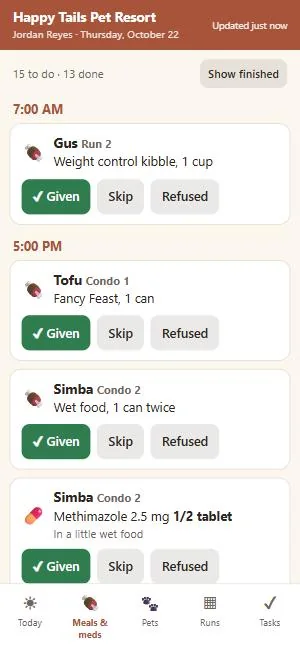
Your team, on the phones they already carry.
- Pair a phone with a QR code. Nothing to install from a store.
- Staff tick off meals and meds, check pets in and out, write notes and incident reports, and send photos.
- Works from anywhere, at the kennel or at home, through a relay that only passes sealed envelopes along.
- Managers see more: requests to answer and new bookings. Takings only for the people you choose.
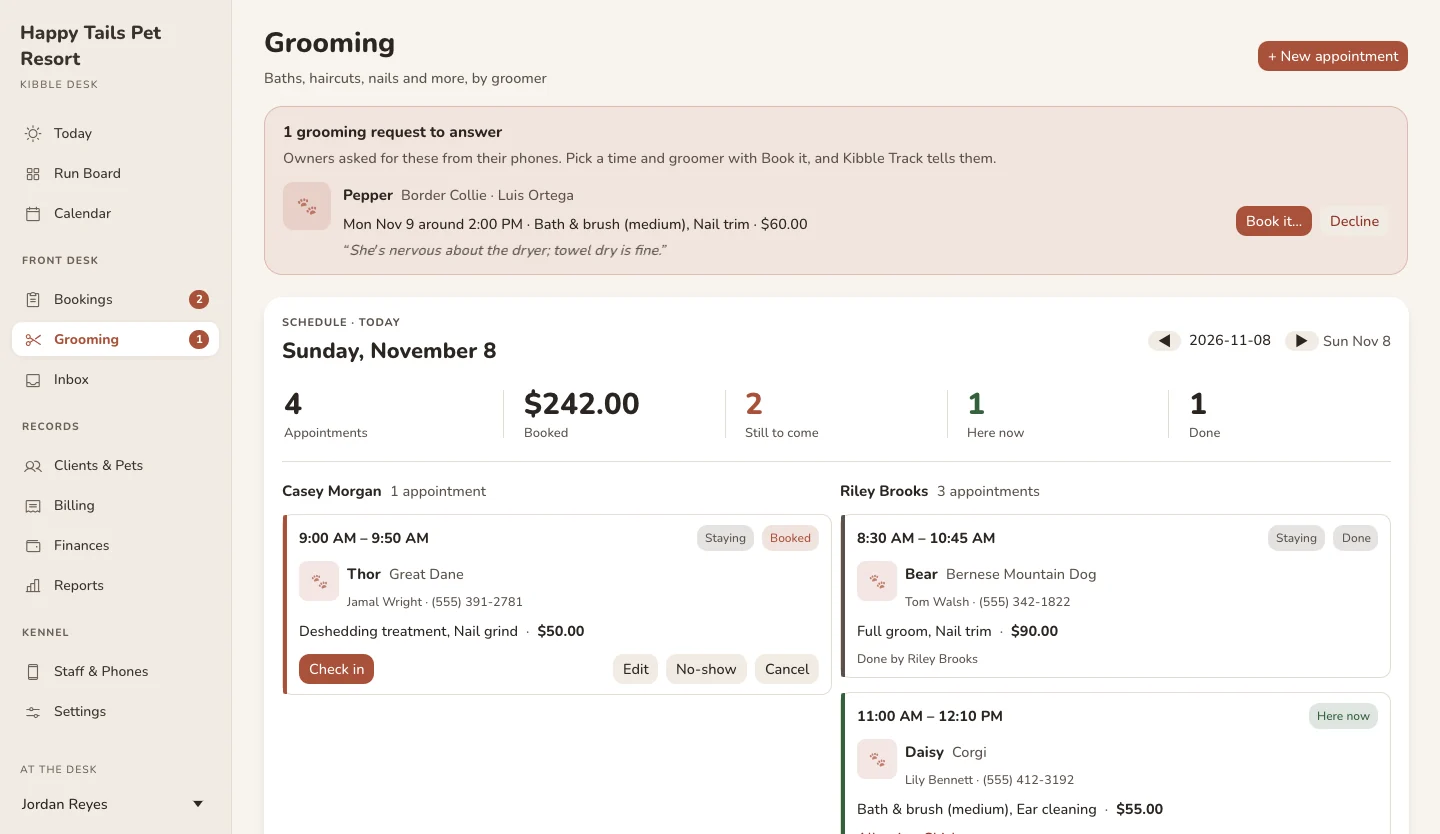
A grooming shop inside the desk.
- A column per groomer, with check in, done, no-show and cancel. No groomer is double-booked.
- Your own services and prices, priced by size if you like.
- Owners request a groom from Kibble Track. Pick a time and they're told the groomer and the price.
- Done bills it, on the stay's invoice or a new one, exactly once.
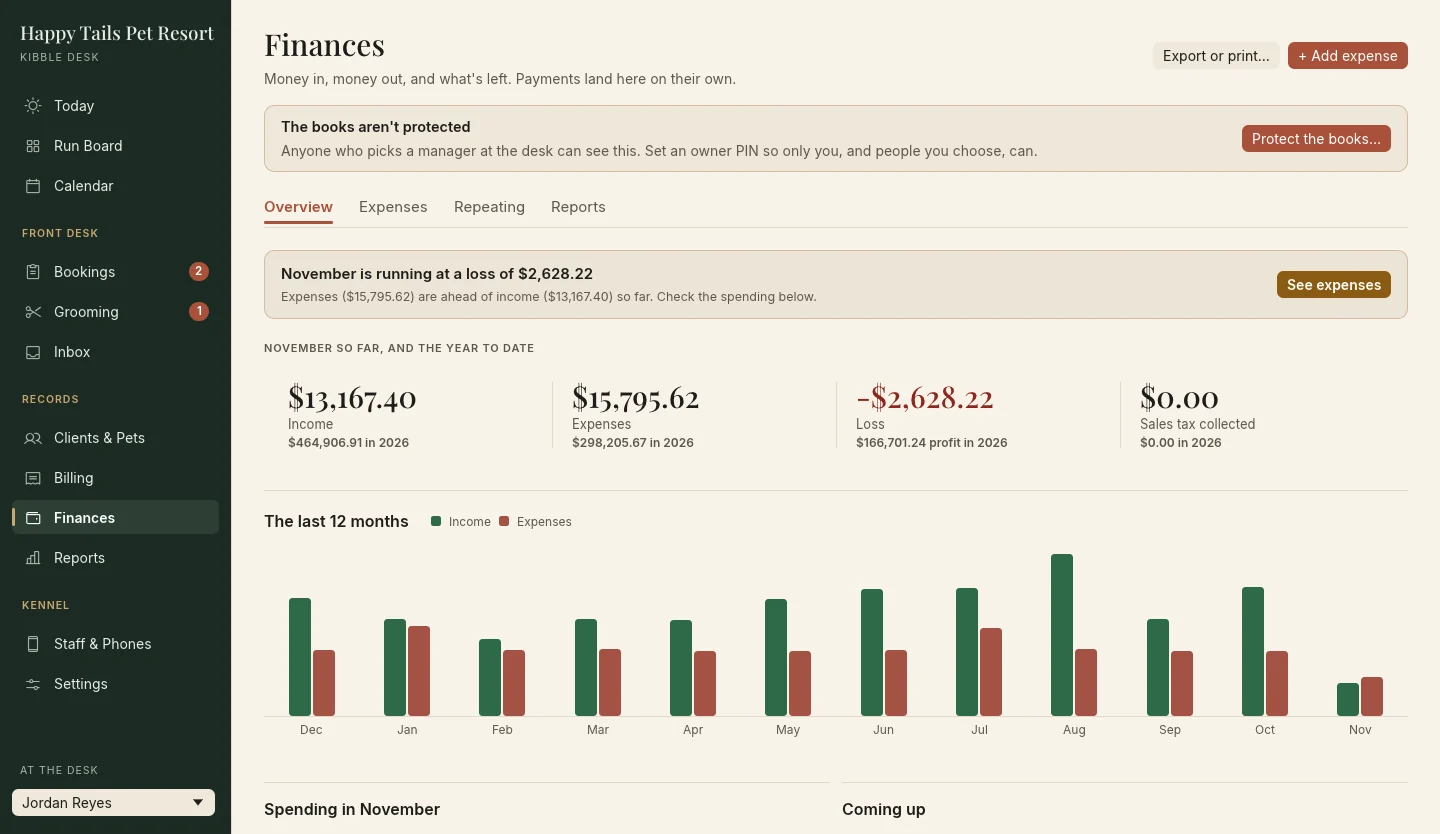
Money in, money out, and what's left.
- Payments land in the books on their own. Add expenses with receipt photos, from the desk or a manager's phone.
- Rent, payroll and other repeating bills post themselves.
- Profit and loss by month, quarter and year, sales tax collected, and a year-end PDF.
- Export to Excel, CSV or QuickBooks.
- Protected by your PIN. Only you, and the people you choose, can open the books.
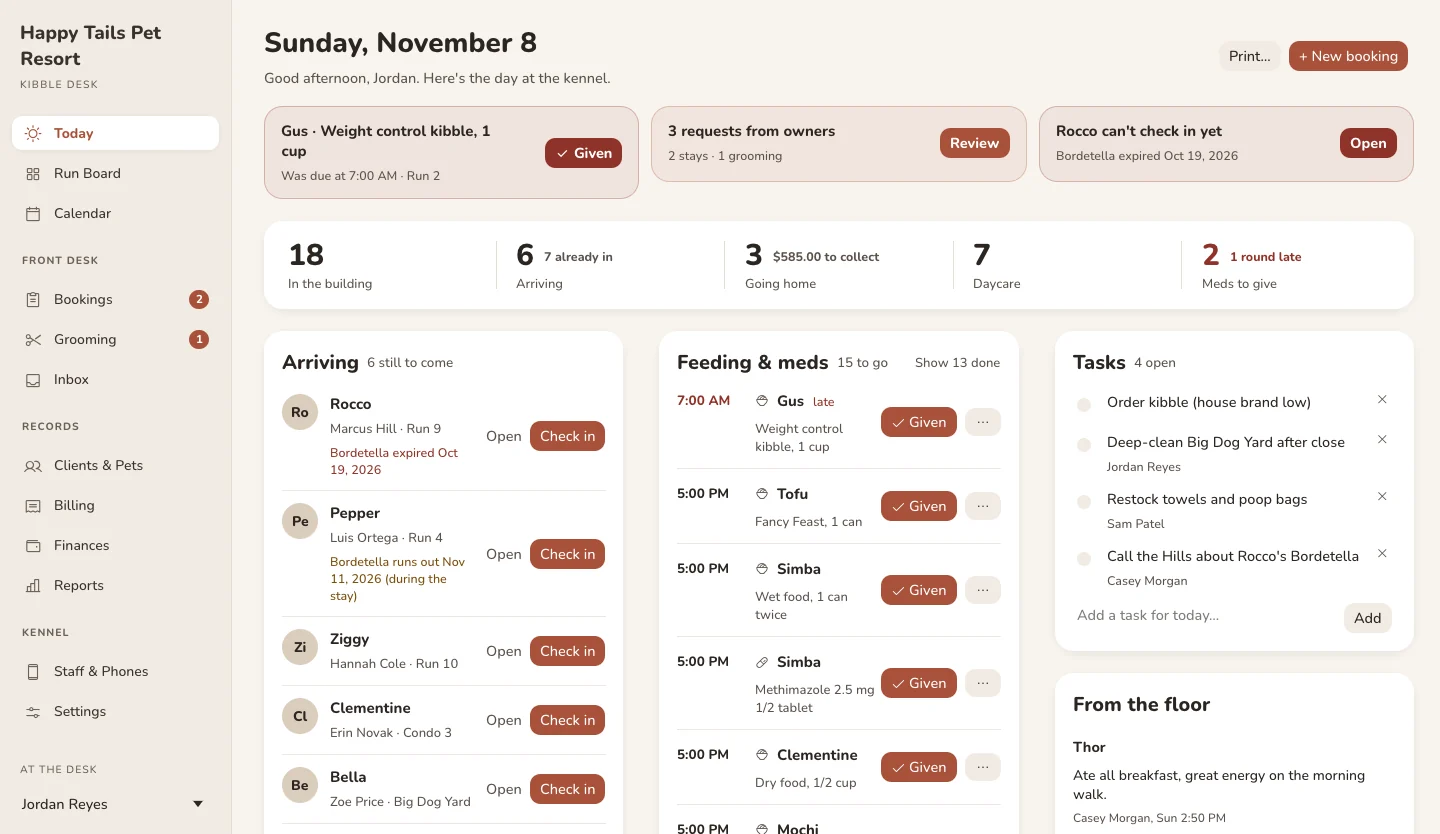
Three looks. Pick the one that feels like your place.
Each computer at the desk can have its own. Everything works the same in all three.
Everything else a kennel runs on.
Calendar
Month, week or a list of what's coming, with how full each day is, holidays built in, and your closed and busy days.
Invoices and packages
The stay bills itself at check-out, add-ons included. Cash, card and daycare packages that count down.
Printouts
Run cards with each pet's photo, feeding and medication sheets, invoices and a counter sign for owners.
Reports
Revenue, occupancy and more, to read on screen, save as a PDF, or open in a spreadsheet.
Backs itself up
A backup every day, two weeks kept, and Back up now for a copy on a USB drive. Restore in a click.
Works without internet
Everything at the desk runs on your computer. The internet is only for staff phones and owners' apps, and only if you turn it on.
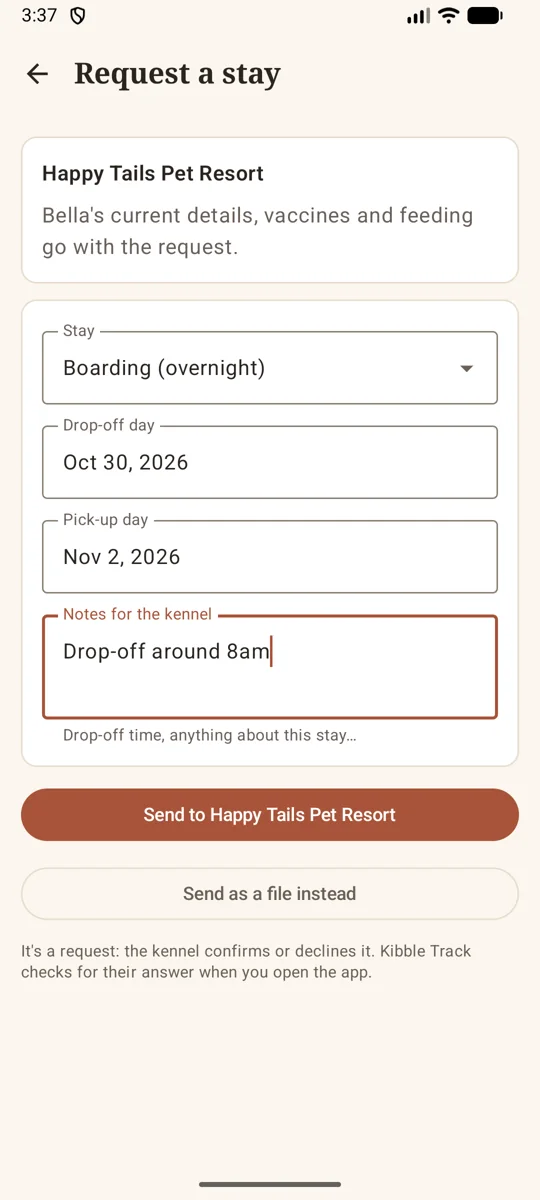
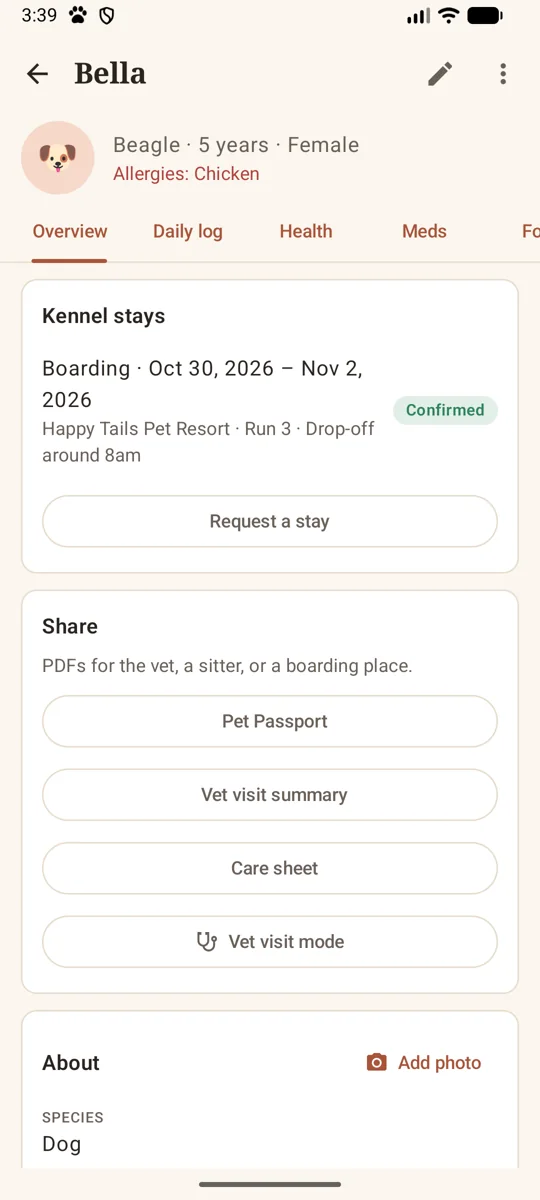
Owners do the paperwork before they arrive.
Owners who use Kibble Track scan the code at your counter once. After that:
- Their pet's profile, photo, vaccines with certificates, feeding and medications land in your Inbox, ready to accept.
- They see the services you list, and request a stay or a groom from their phone.
- When a vaccine or the agreement needs attention, their phone reminds them, with what to do next.
- Declining tells them why, in your words.
One simple subscription.
Every feature and our help, monthly or yearly. No setup fee, no per-pet charges, no contract. Try everything free for 30 days with the sample kennel or your own records.
Kibble Desk is in its final testing. Write to us and we'll send it as soon as it's ready.
- Boarding, daycare and grooming
- Help from a real person when you need it
- Staff phones for your whole team
- Owners connect free with Kibble Track
- Built-in bookkeeping and QuickBooks export
- Three looks, daily backups, printouts
- Your records stay yours, even if you stop
- For Windows
Good to know.
Do I need the internet?
No. Kibble Desk keeps your records on your computer and works without a connection. Staff phones and owners' Kibble Track apps use the internet, and only once you turn the phone link on.
Where do my records live?
In one file on your kennel's computer, backed up every day. Staff phones and owners' phones talk to it through our relay, but everything is sealed end to end, so the relay only passes envelopes along and can't read them.
Do my staff need to install an app?
No. They scan a QR code on their own phone and the staff app opens in the browser. Take a phone away from someone who leaves with one click.
Do pet owners have to use Kibble Track?
No. Kibble Desk works on its own. Owners who do use Kibble Track save you the typing: their pet's records come straight to your Inbox, and they can ask for stays and grooms themselves.
Can I try it without entering my own kennel?
Yes. Kibble Desk opens with Happy Tails, a sample kennel full of pets, bookings and grooming, so you can try every screen. When you're ready, Start fresh clears it for your own.
What if I stop subscribing?
Nothing is taken away. Kibble Desk opens read-only: every client, pet, booking and invoice is still there to look up, print, back up and export. Subscribe again any time and you pick up right where you left off.
Who can see the money?
Set an owner PIN and Finances, Reports and the day's takings need a PIN to open. Give trusted staff their own PIN, and the activity log shows who opened the books.
Let's get your kennel set up.
Tell us a little about your place and we'll send Kibble Desk as soon as it's ready.